Legal Document Management Software for Case Files
Give your team a document system that does more than store PDFs. File Logic helps firms organize, search, and analyze the records that actually drive case value.
Traditional legal document management keeps files accessible, but it rarely makes them useful. Teams still spend hours opening the same PDFs, rebuilding context, and searching manually through records that should already be understood.
File Logic combines document organization with OCR, chronology, and AI-assisted analysis. Instead of treating the DMS as a filing cabinet, the platform turns uploaded case files into structured, searchable working materials for attorneys and staff.
That matters most for record-heavy practices. When the case depends on medical evidence, work restrictions, provider history, or treatment timelines, your document system should help the team find the answer, not just remember where the PDF lives.
A document management layer built for litigation and claims work
Most general-purpose legal DMS tools are optimized for storage, permissions, and retrieval. File Logic adds the analysis layer that medical-record-heavy casework actually needs. Records become searchable, reviewable, and reusable across chronology, summaries, and attorney questions.
The core advantage is continuity. Your firm does not upload a record into one system, export it to another, and manually summarize it in a third. The same document workspace supports intake, analysis, review, and export.
One workspace for document storage and analysis
OCR for difficult source files
Structured record review instead of static storage
Better reuse of work product across the case lifecycle
Where traditional legal document management falls short
Storage alone does not solve the time cost of understanding a record-heavy case file.
Stored but unread
The file is organized, but still not actionable
Even when the right folders and naming conventions exist, someone still has to open the document, read it, and interpret what matters. The organization problem is solved, but the understanding problem remains.
Scattered workflow
Teams bounce between tools to get answers
Documents live in one system, OCR happens elsewhere, notes are stored in another app, and chronology work is built manually. That fragmentation creates friction every time the case team needs to answer a simple question.
Lost leverage
Information is technically available but functionally hidden
If a user has to search manually through file after file to locate one provider opinion, the document system is not helping enough. The cost shows up as slower decisions and lower throughput.
What a modern legal document workflow should look like
Centralize the matter file
Upload the case documents into a shared workspace that the team can return to throughout the case. File Logic stores the source file while preparing it for search, OCR, chronology, and later analysis.
Make every document usable
Once the file is processed, users can search the text, inspect chronology outputs, ask questions, and annotate findings. The DMS becomes the place where the case is worked, not only the place where it is stored.
Export insights without redoing the work
Because the analysis sits on top of the source file, your team can export summaries and reports without recreating the record context from scratch each time a new task comes up.
Document management with usable matter context
The client and case workspace gives teams a clear operating surface for record-heavy matters. Instead of navigating disconnected folders and raw uploads, users can review documents in a context that supports search, summarization, chronology, and follow-up analysis.
That combination makes File Logic especially useful for firms that want their document platform to contribute to case preparation, not just retention and retrieval.
Shared case-level document workspace
Searchable and reviewable uploaded files
Direct path from storage to analysis
Faster collaboration between legal staff and attorneys
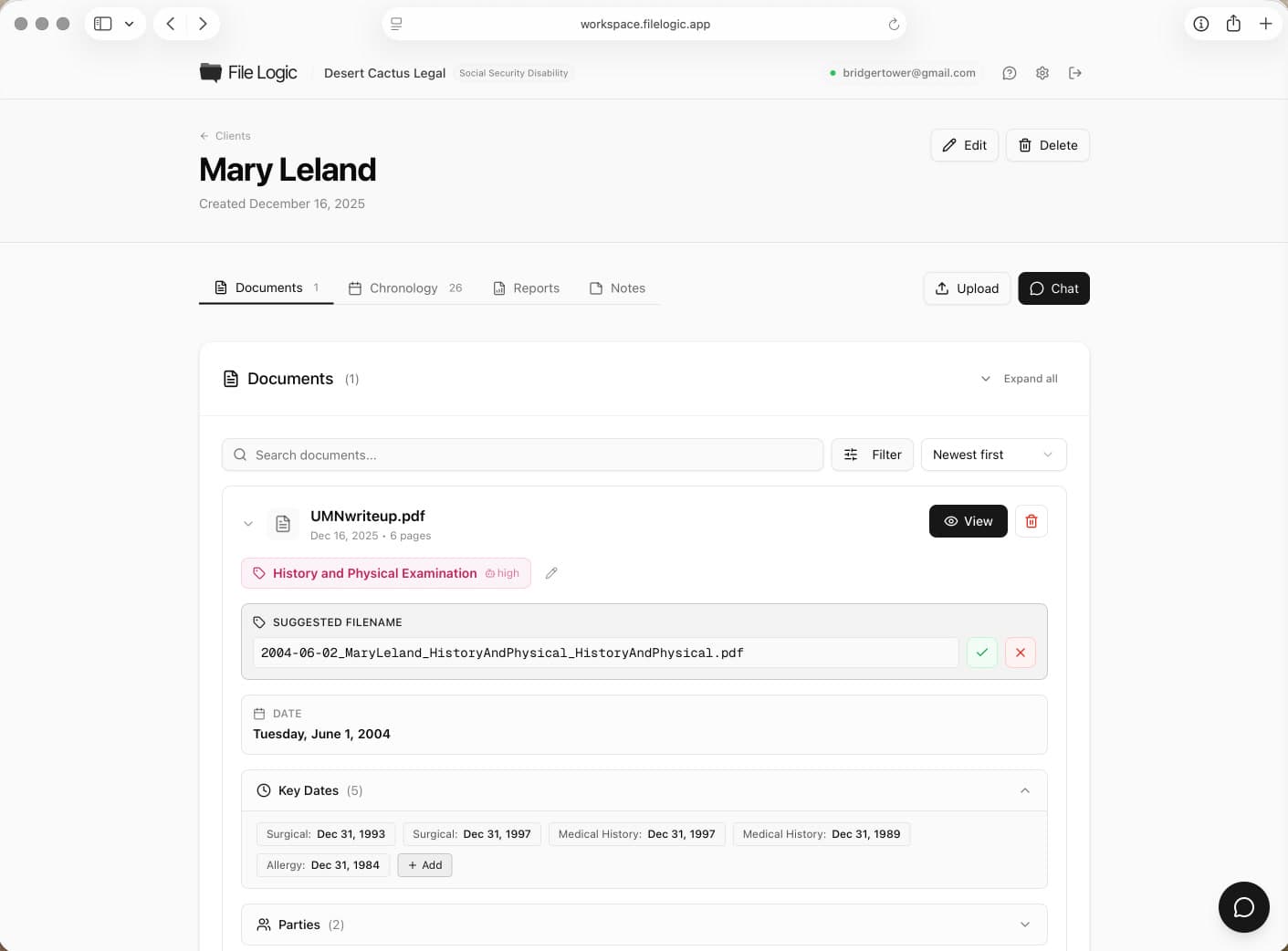
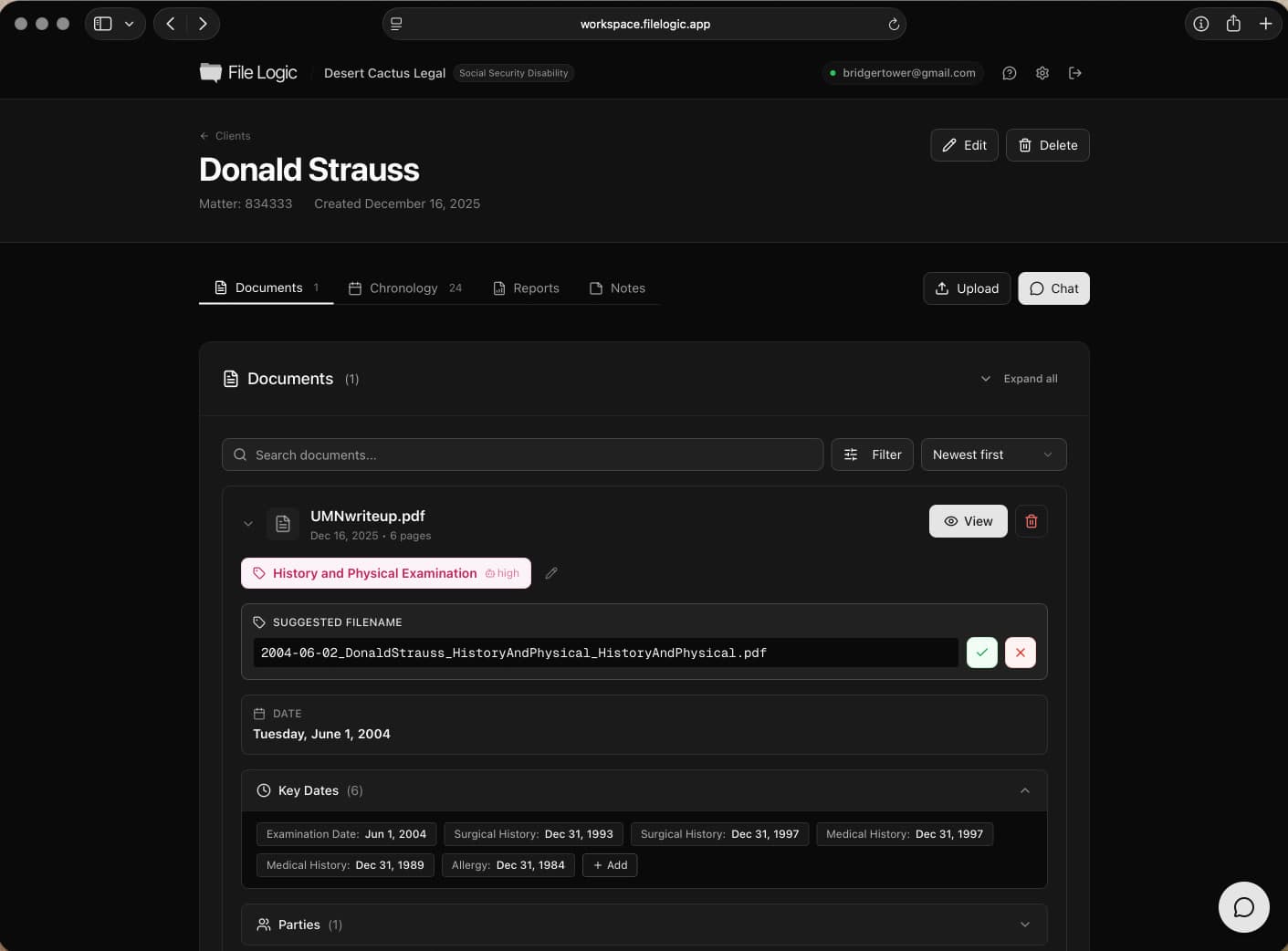
The workspace organizes case documents while keeping chronology, search, and analysis close to the underlying record.
A document platform firms can evaluate seriously
Legal document management software becomes a system of record for active client matters. That requires more than convenience features. It requires a clear security posture, strong tenant isolation, and operational controls that let buyers trust the platform with sensitive information.
File Logic is designed to support those conversations while still delivering practical workflow improvements for teams dealing with dense records every day.
Secure storage for sensitive case documents
Role-aware access patterns for firm teams
Encryption across transport and storage
Compliance-ready security posture
See where this workflow fits
File Logic supports multiple record-heavy practices. Explore the pages below for case-specific language and workflows.
Questions before you book a demo?
Use your document system to move the case forward
Book a demo to see how File Logic turns a document repository into a working analysis layer for record-heavy legal matters.